When viewing test run details in RoverX, they are displayed on the right-hand side of the screen. The following columns are included in the test run details:
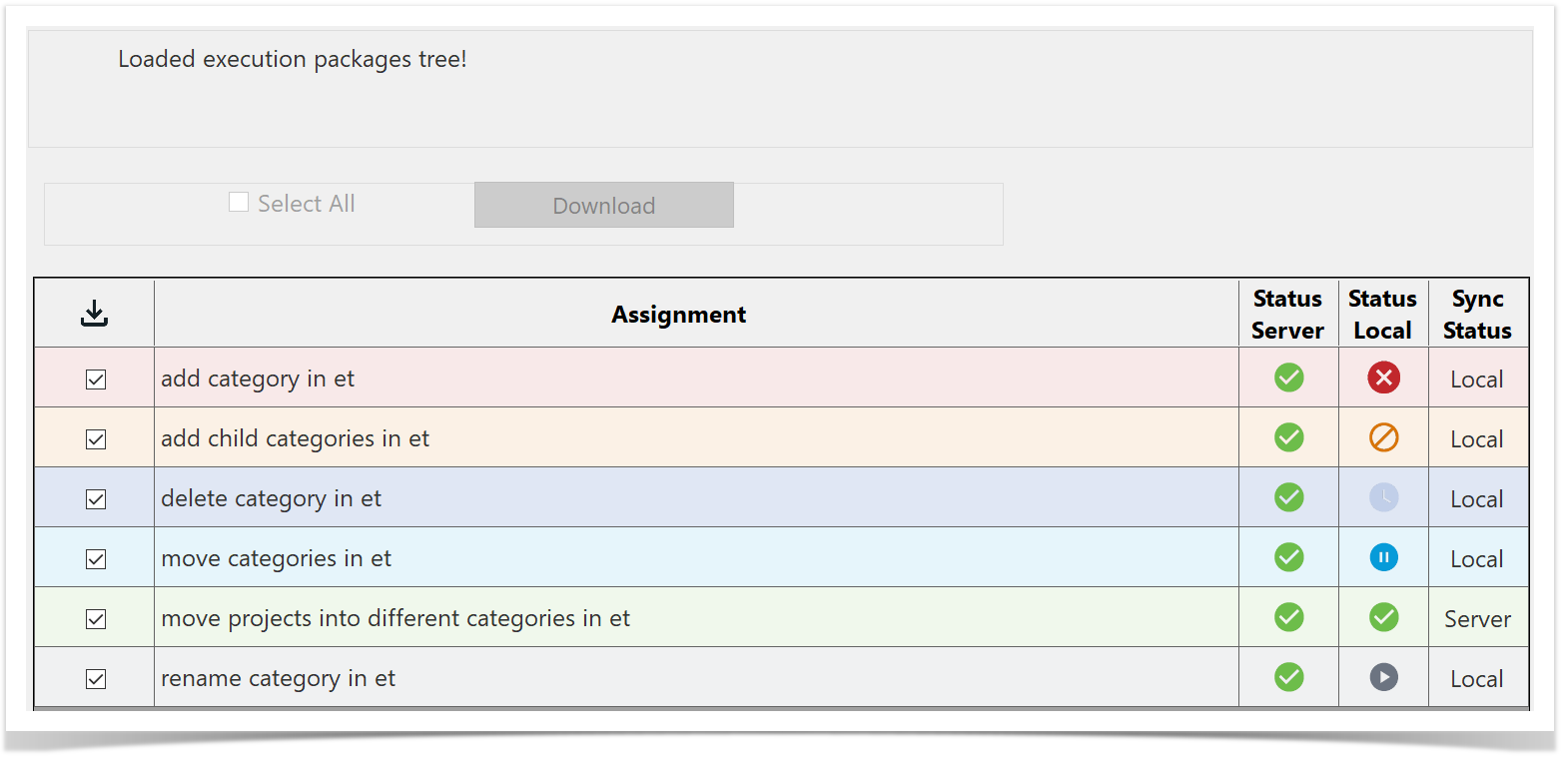
- Downloaded - Indicates whether the test run has been downloaded to your local machine or is still stored on the Enterprise Tester server.
- Assignment - The name or identifier of the test run.
- Status Server - Displays the current status of the test run on the Enterprise Tester server.
- Status Local - Shows the current status of the test run on your local machine.
- Sync Status - Tells you whether the test run has been recorded on the server or if it only exists locally. If the status is "local," the test run will be uploaded to Enterprise Tester
server during the next synchronisation.