...
Navigate to a project and select Enterprise Tester for Jira app

- Select the Global Configuration tab.
If no configuration exists, you will see an Create Test management configurations button.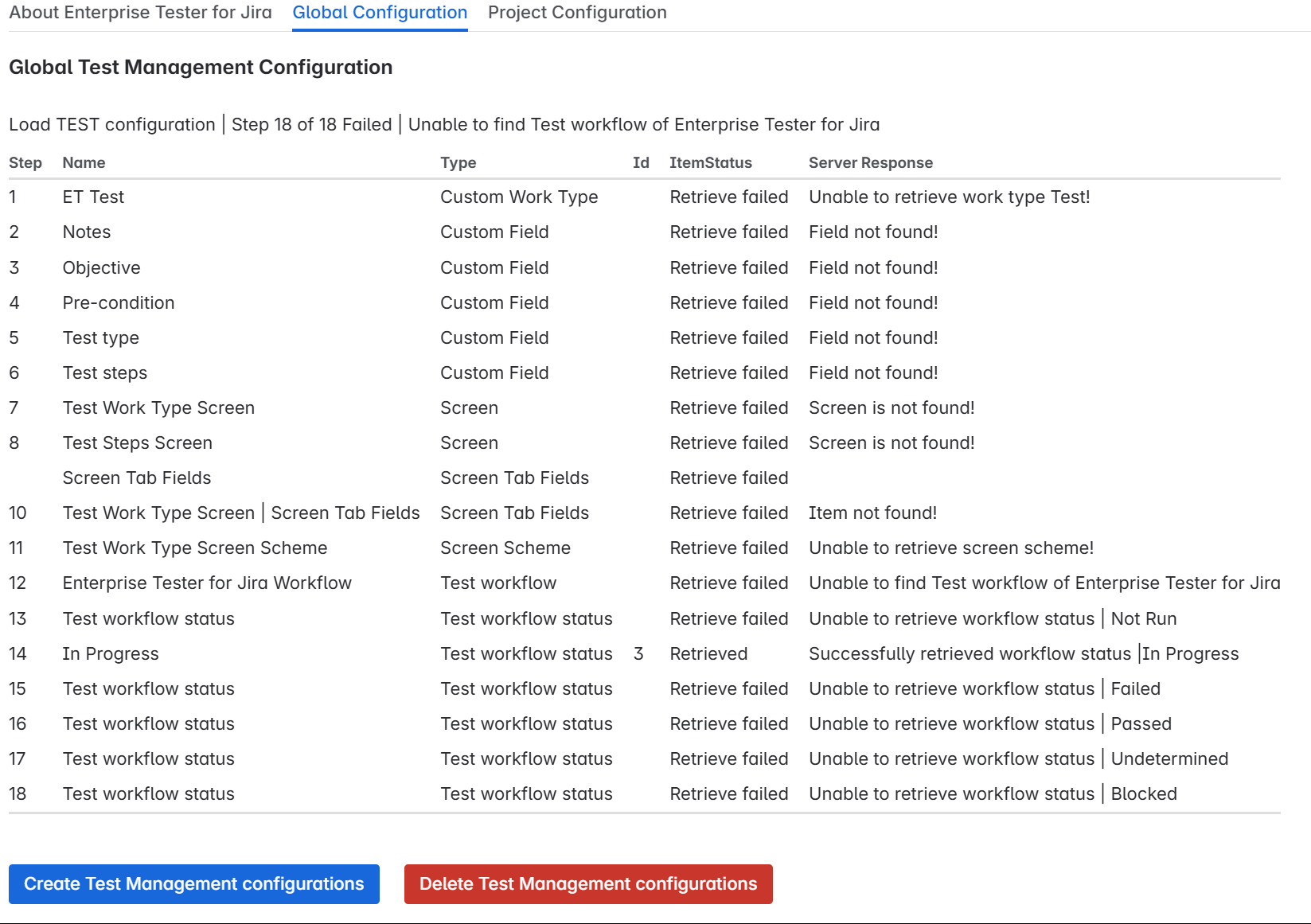
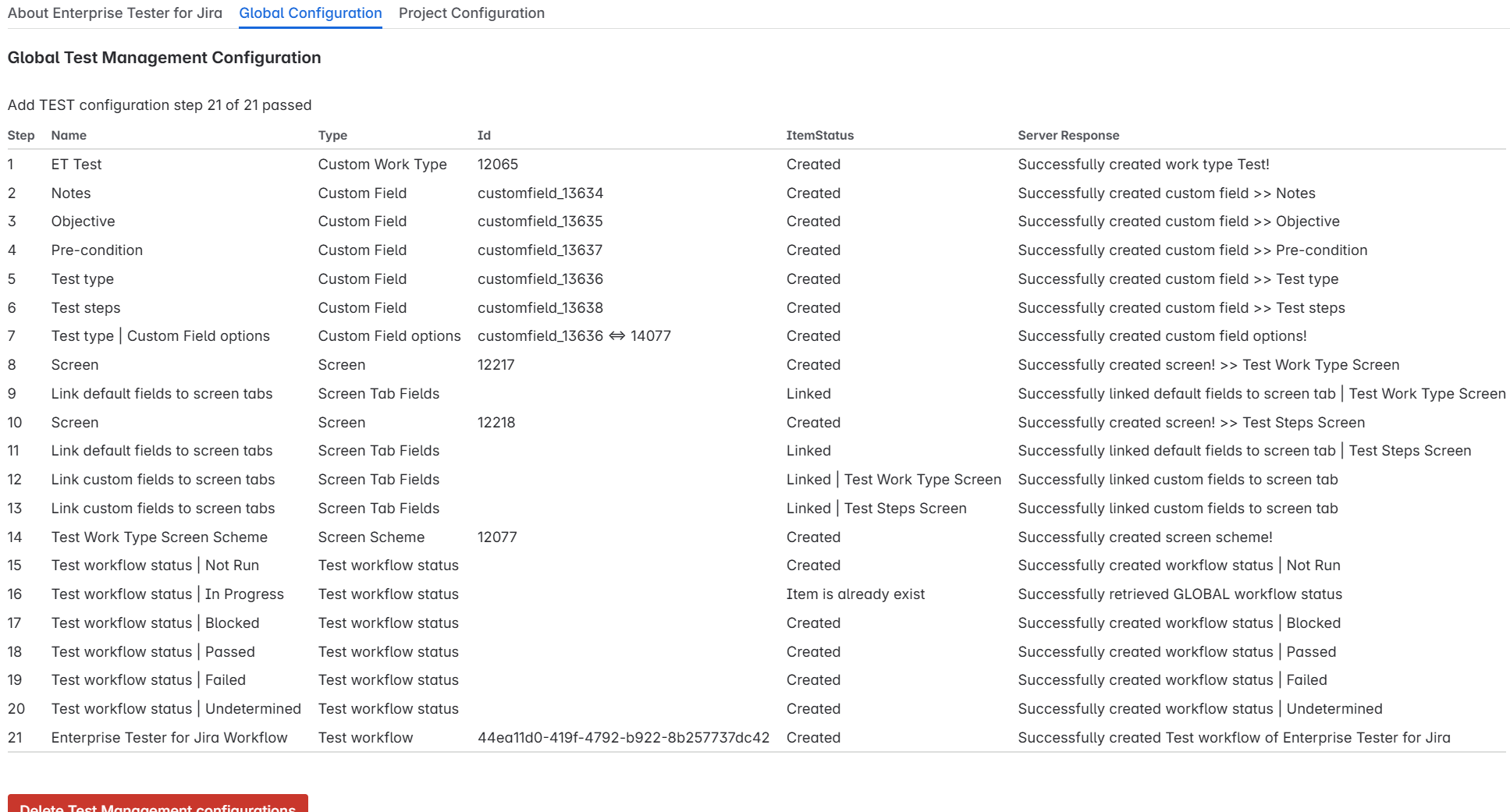
Click Create Test Management configurations to initiate the configuration.
This configuration applies across all applicable projects in your organization.
Once created, the Add Test Configuration button disappears.
Step 3: Select Project
- Select the Project Configuration tab. You will see a list of all software projects and a dropdown menu.
- Select a project to manage its test configuration.
...
- Click Add Test Management configuration to Project to apply the test configuration to the selected project.
Note: If the project uses a shared workflow scheme, adding the test workflow will affect all projects sharing that scheme.
Once successfully configured the following screen will be displayed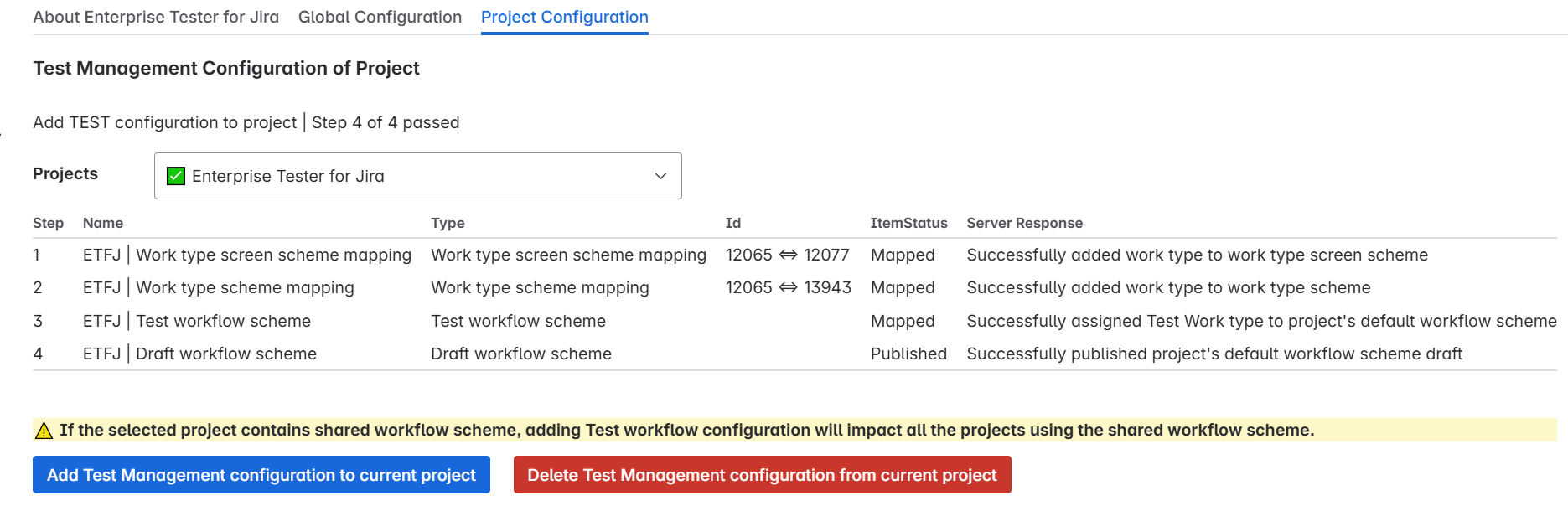
...
Using Enterprise Tester for Jira
...
Click Create in Jira and select issue type ET Test

Fill in test summary and description
...
Open the ET Test issue
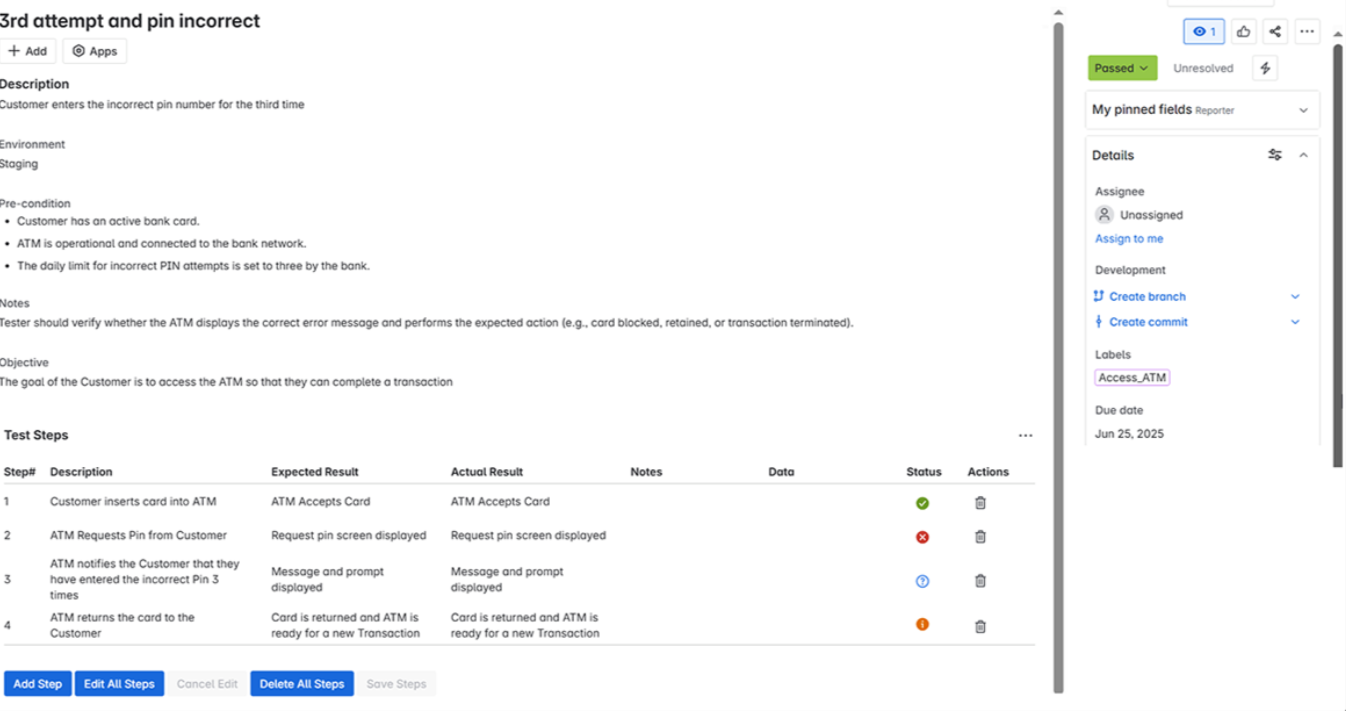
From the app menu, select Test Steps

Add steps with expected outcomes
Use pass/fail status to mark results
To delete a step, click the Delete icon on that step.
You can move the Test work item through any workflow status available in the project.
...
Deleting Configurations
Delete Test Management Configuration
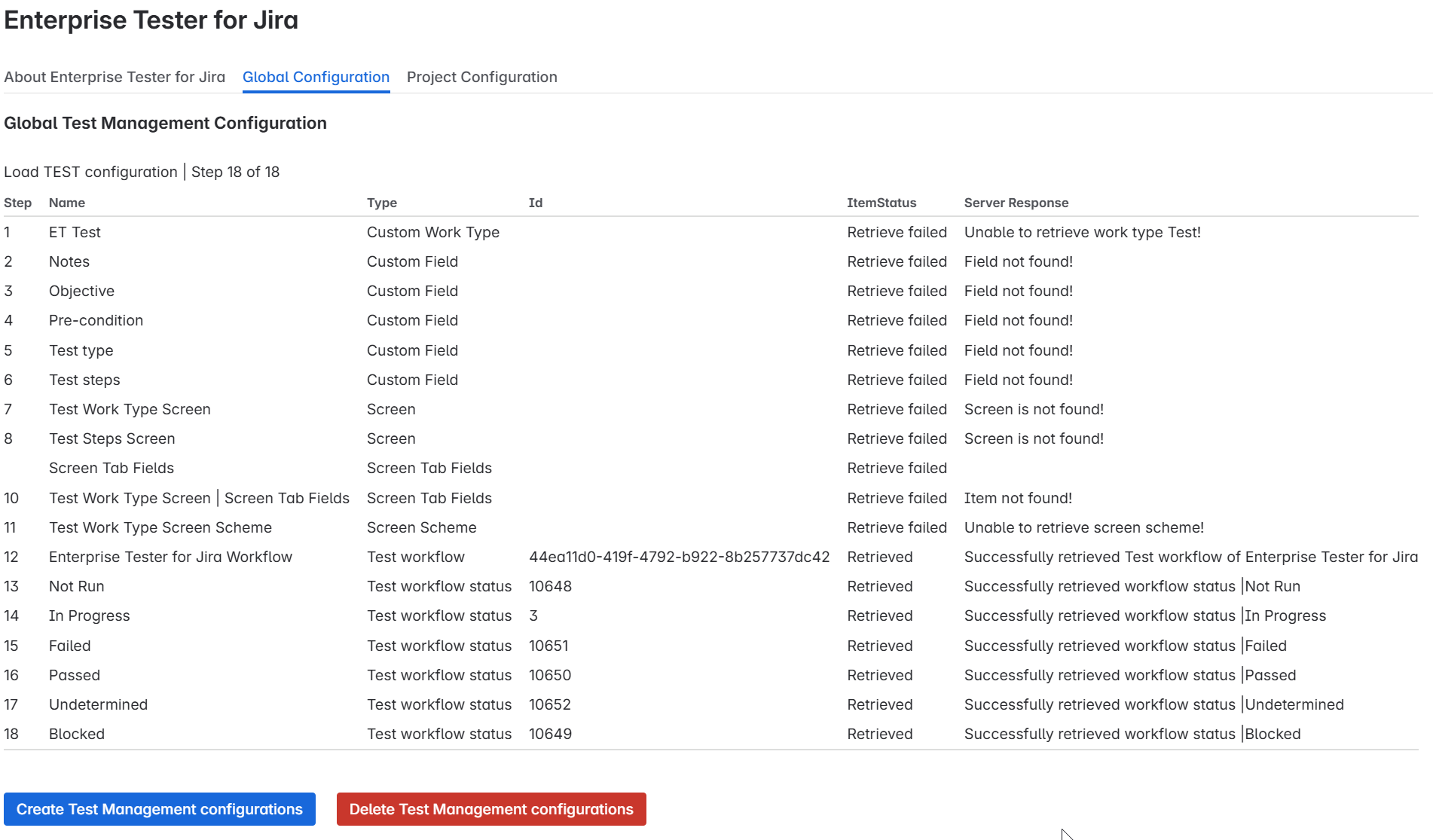
To delete the global configuration, click Delete Test Management Configuration.
You can only delete if the configuration has not been added to any projects.
If the configuration is in use by any project, the delete option will not be visible.
After deleting the Global Configuration if you see “unable to retrieve field not found”, it means the configuration was successfully removed
Delete Test Configuration from Project
If a configuration exists for the project, a Delete Test Configuration of Project button will be visible.
You can only delete a test configuration if it is applied specifically to the selected project.
Important: You cannot delete a project’s test configuration if there are existing ET Test work items in that project.
You must first remove or migrate those work items to other work types.
- After deleting the Global Configuration from the Project you will see "Mapping removed"
