...
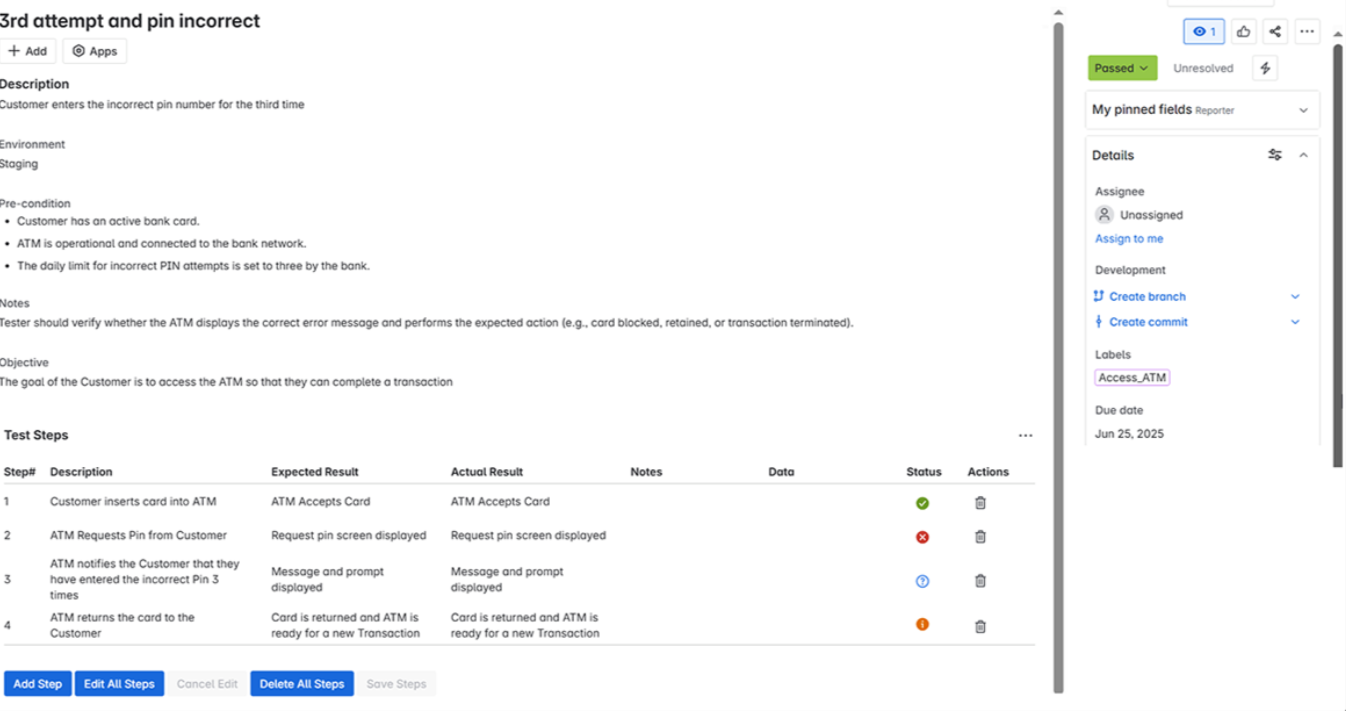
Open the ET Test issue
From the app menu, select Test Steps

Add steps with expected outcomes
Use pass/fail status to mark results
To delete a step, click the Delete icon on that step.
You can move the Test work item through any workflow status available in the project.
...
Deleting Configurations
Delete Test Management Configuration
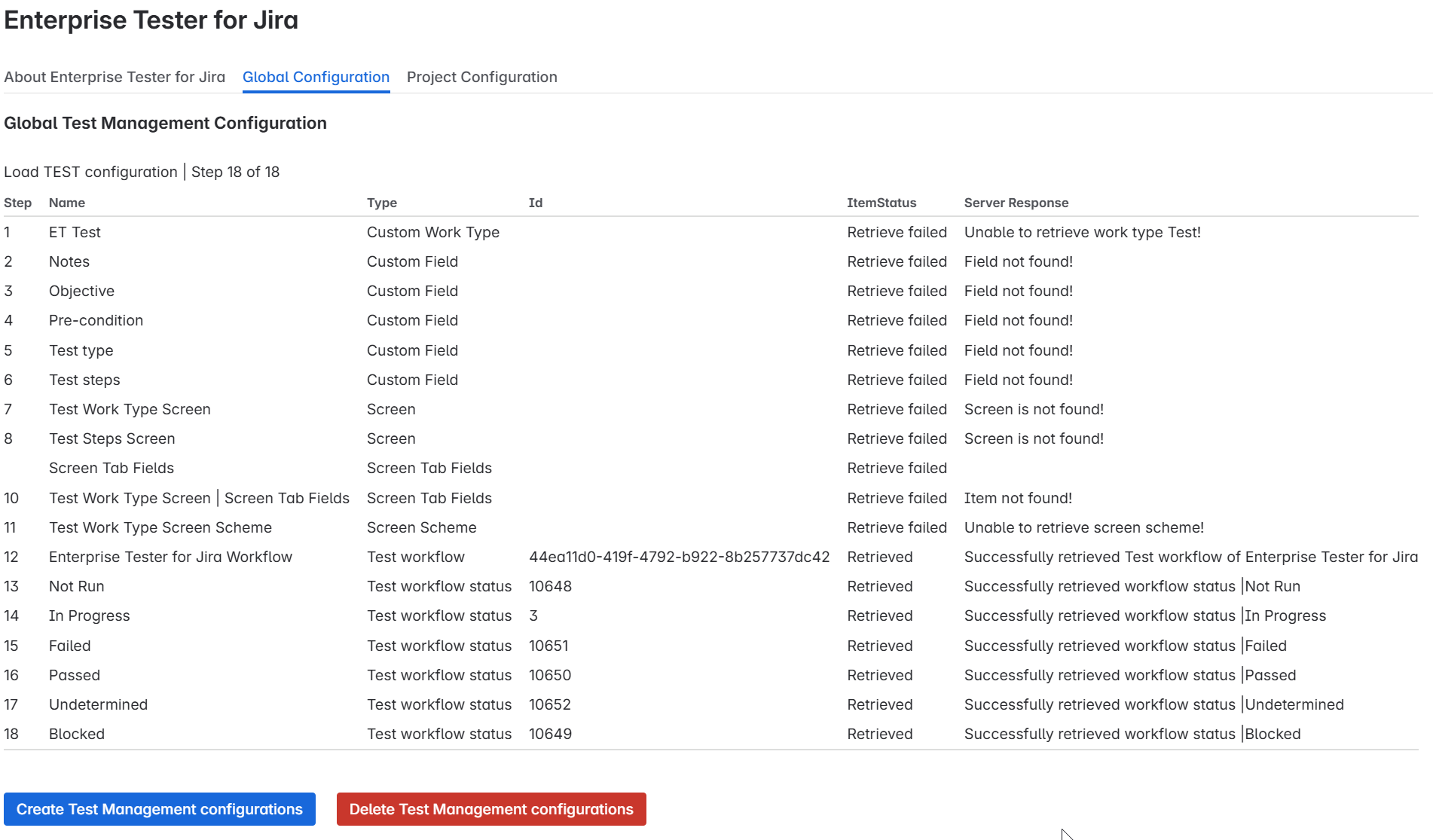
To delete the global configuration, click Delete Test Management Configuration.
You can only delete if the configuration has not been added to any projects.
If the configuration is in use by any project, the delete option will not be visible.
Project Test Management Configuration
Select Project
...
Go to the Project Configuration tab.
...
You will see a list of all software projects and a dropdown menu.
After deleting the Global Configuration if you see “unable to retrieve field not found”, it means the configuration was successfully removed
...
Delete Test Configuration from Project
If a configuration exists for the project, a Delete Test Configuration of Project button will be visible.
You can only delete a test configuration if it is applied specifically to the selected project.
Important: You cannot delete a project’s test configuration if there are existing ET Test work items in that project.
You must first remove or migrate those work items to other work types.
Create Your First Test Work Type
When creating a new work item, select the ET Test work type.
...
To add steps:
Click the Apps button on the issue page.
Select Test Steps.
Add each step with fields for:
Description
Expected Result
Actual Result
Notes
Data
Status
...
To delete a step, click the delete icon on that step.
...
You can move the Test work item through any workflow status available in the project.
- After deleting the Global Configuration from the Project you will see "Mapping removed"

Configuration Management
Uninstalling & Refreshing Configuration
After uninstalling, go to the Global Configuration page
If you see “unable to retrieve field not found”, it means the configuration was not properly removed
Deleting Existing Configuration
Go to the global configuration page
Click Delete on the existing config
Refresh the page to confirm deletion
Creating New Configuration
If “not found” appears, click Create
Wait for the success message
“21 of 21 passed” ✅
Applying Configuration to Projects
...