...
If you update a Test Script, those changes will automatically be reflected in the related Test Execution data — unless the test is currently being run.

New! Start and End Dates for Test Execution PackagesFolders
You can now add a Start and End Date to your Test Execution PackagesFolders. These dates can be super handy for reporting, especially if you're pulling data using the API.
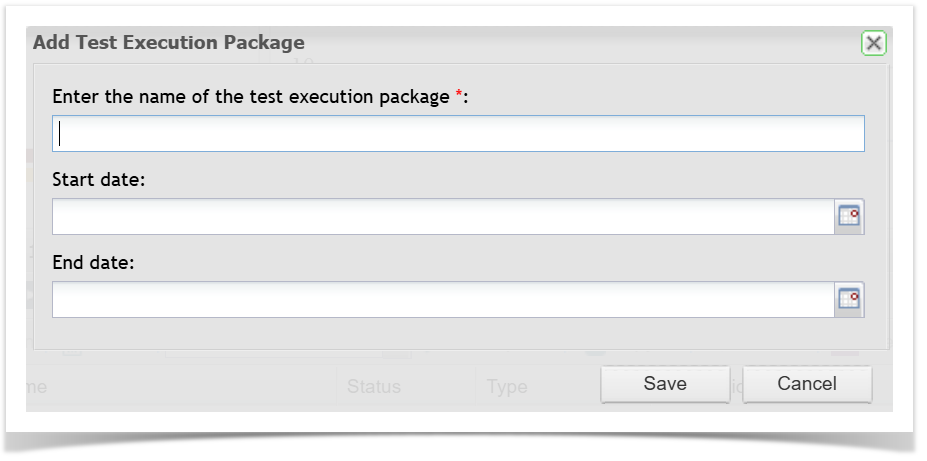
When you create an Execution PackageFolder, you'll see new fields for Start and End Date. They're completely optional — you can leave them blank, fill in just one, or enter both.
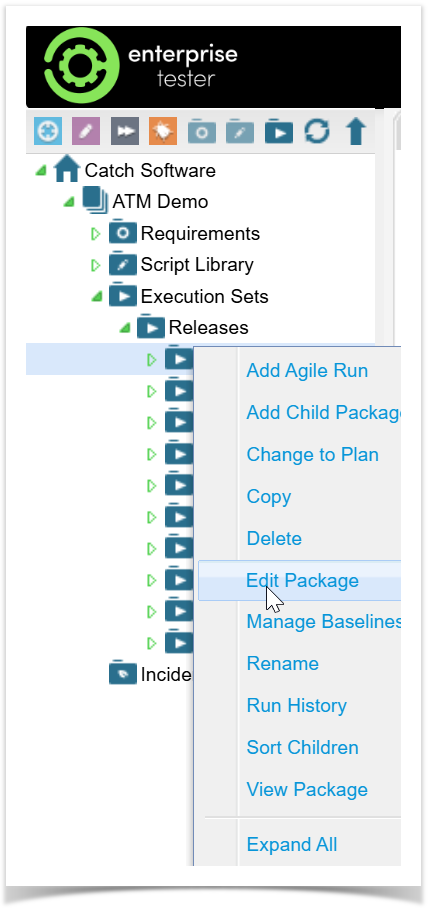
You can also edit existing Execution Packages to add Start and End Dates. This means you can go back and update older packages with date information if needed.
How to Add Start and End Dates
When creating a new Execution Package:
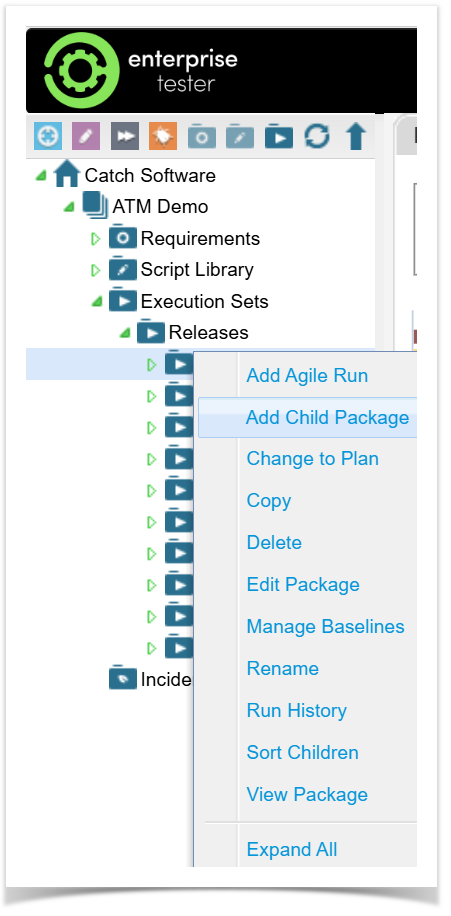
- Go to the Execution Sets folder.
Find where you want to add the new package.
Right-click and select Add Child Package.
Enter a name for your Execution Package.
Fill in the Start Date and/or End Date (optional).
Click Save to finish.
To update an existing Execution Package:
Find the Execution Package you want to update.
Right Click and select Edit Package.
Enter or update the Start Date and/or End Date.
Save your changes.
...
Create Execution Sets by dragging a Requirement into the Execution Sets area
...