...
Access SmartPlanner:
- Click the SmartPlanner tile on your CatchHub dashboard to go to the SmartPlanner home page.
Create New Tablespace:
- Select the Create new tablespace button
Fill Out the Prompt:
- Complete the required information.
- Ensure your Enterprise Tester credentials are correct and have admin permissions within Enterprise Tester.
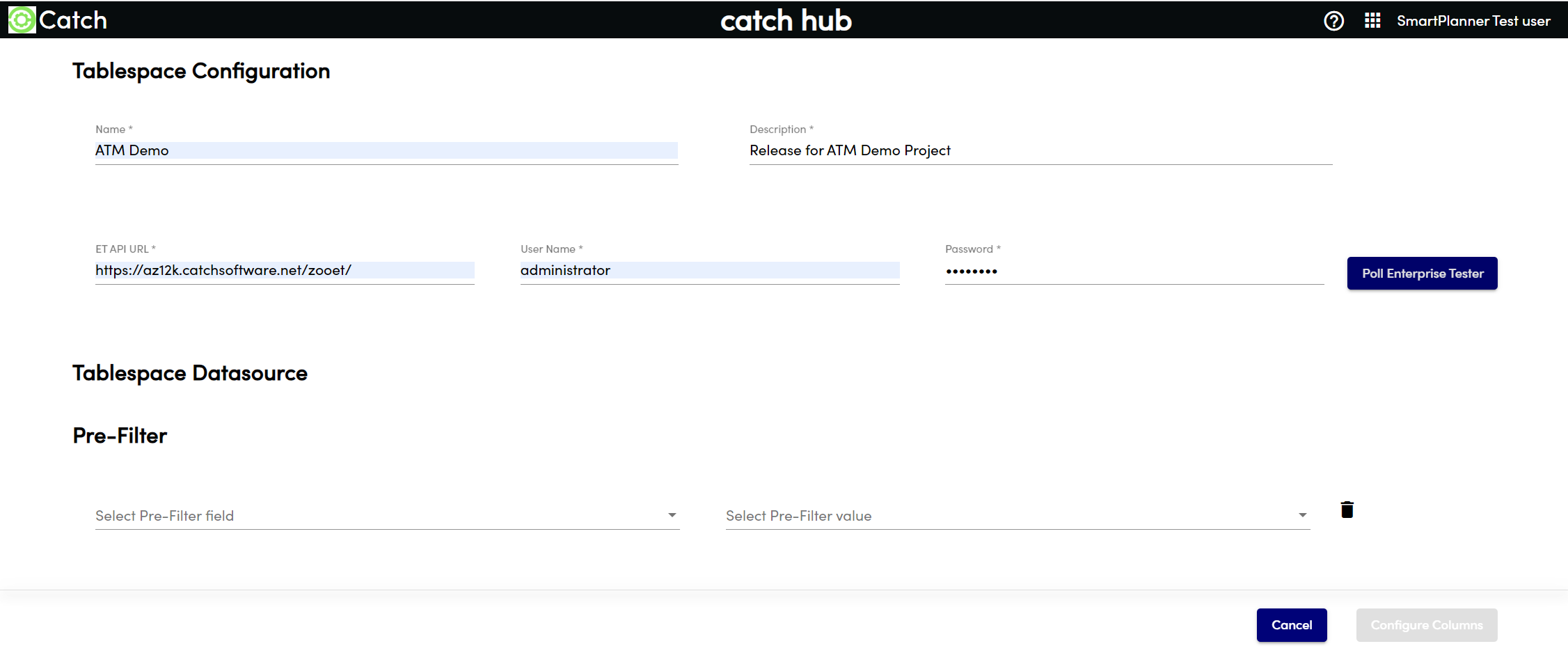
Poll Enterprise Tester:
- Poll Enterprise Tester to make the appropriate projects and packages available for filtering.
- You can add more than one project or multiple packages to filter down.
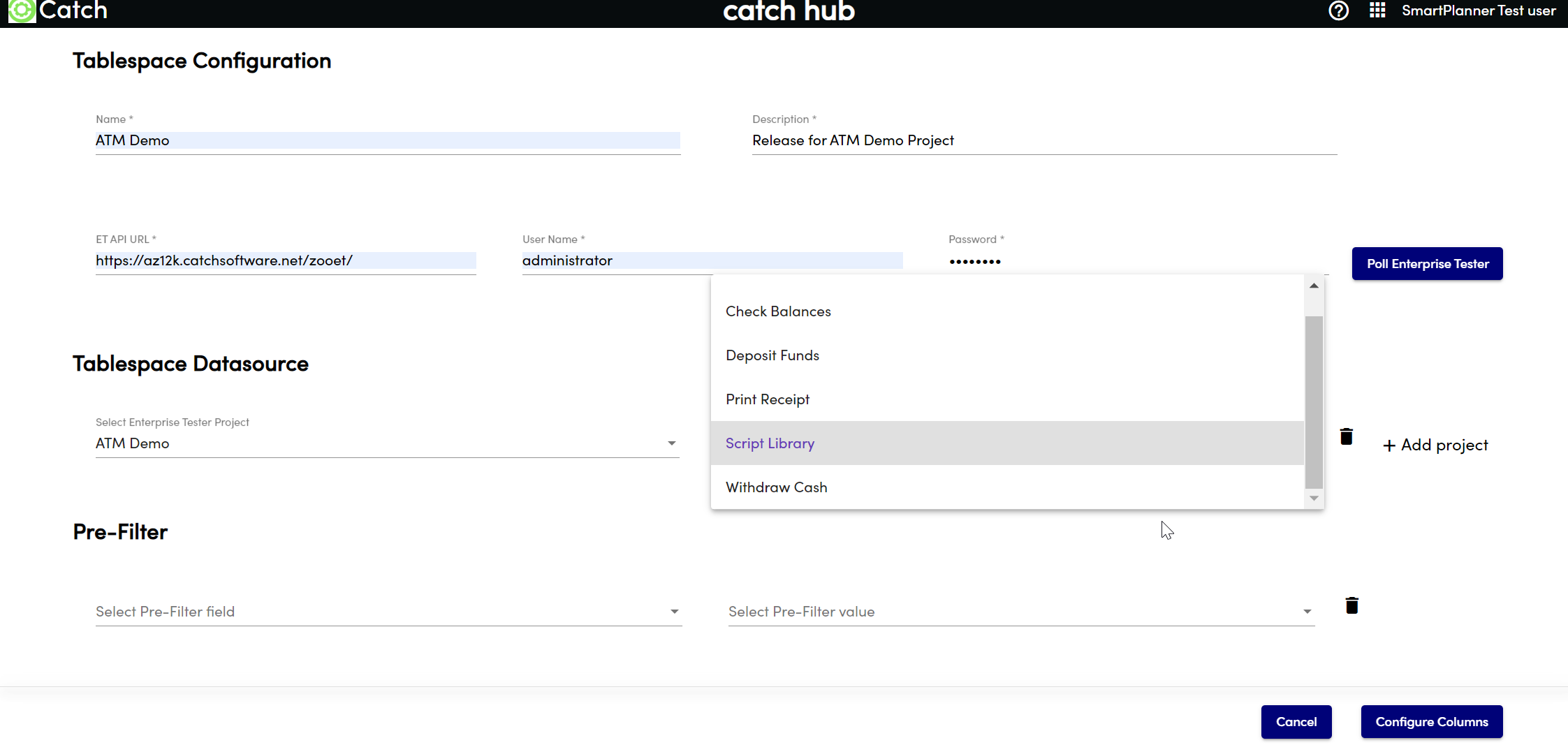
Add a Pre-Filter (Optional):
- You can add a pre-filter to the table to filter on a specific property such as priority, status, etc.
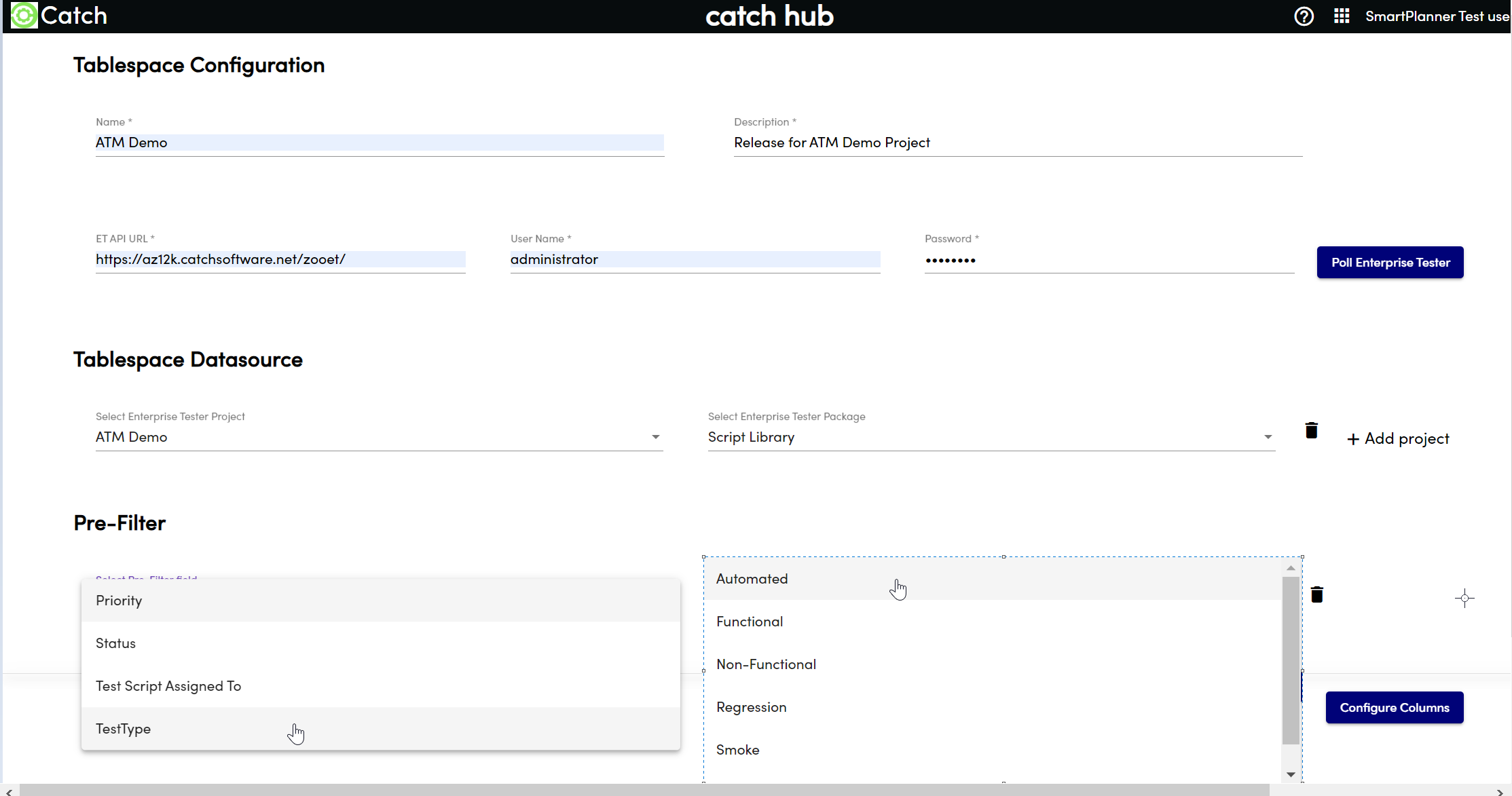
- You can add a pre-filter to the table to filter on a specific property such as priority, status, etc.
Configure Columns:
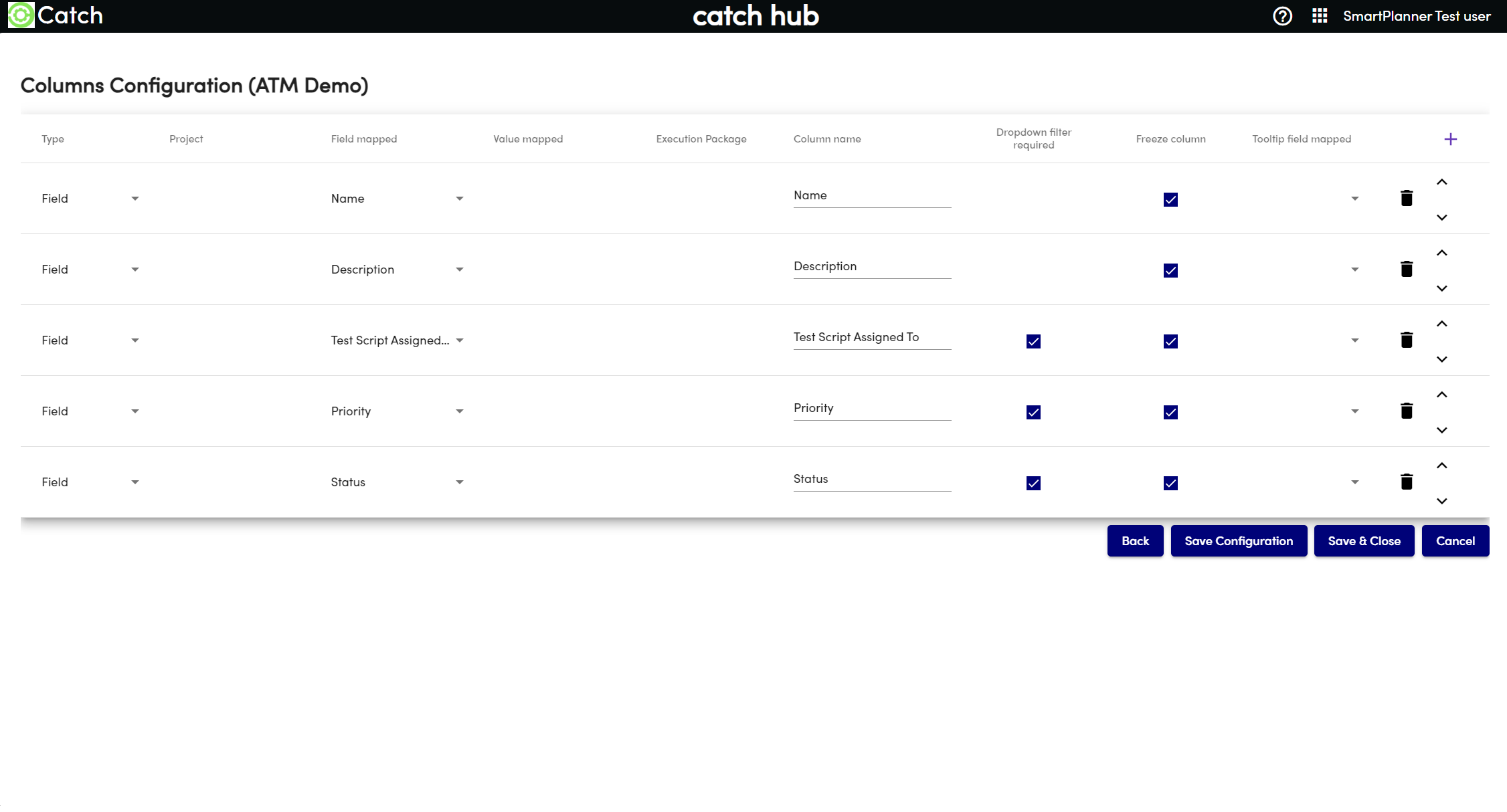
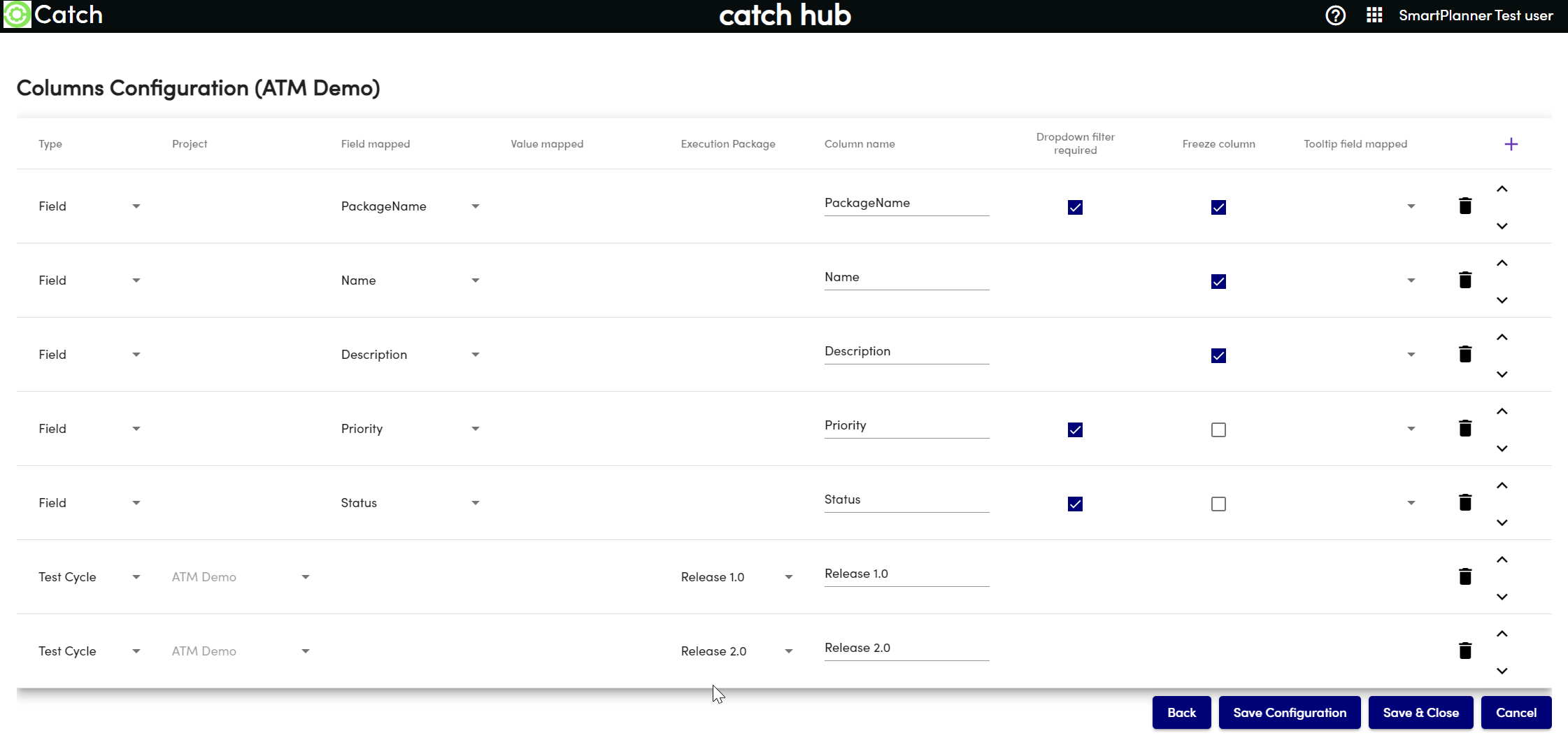
- Select Configure Columns to start creating your table structure.
- Each row represents a column in the tablespace.
- To add a column, select the + icon in the top right corner.
- By default there are some fields already added. You can either use these fields or delete them and add your own fields.
...
Test Cycle Checkbox/Test Case Assignment Table:
- This shows how test cases are assigned to test cycles.
- This shows how test cases are assigned to test cycles.
Value Checkbox/Higher-Level Checkbox Table:
- This shows higher-level filtering options using value checkboxes.
...
- .
...
Once you have filled out the information, Poll Enterprise Tester and the appropriate projects and packages will become available to filter down on.
Note: You can add more than one project or multiple packages to filter down on.

You have the ability to add a “pre-filter” for the table should you wish for the entire table to filter on a specific property such as priority, status etc.
Once you are happy with the projects and packages presented select Configure Columns, you will then be presented with the below screen to create your table.
 Every row is a column in the tablespace
To add a column in SmartPlanner, select the + icon in the top right corner

...