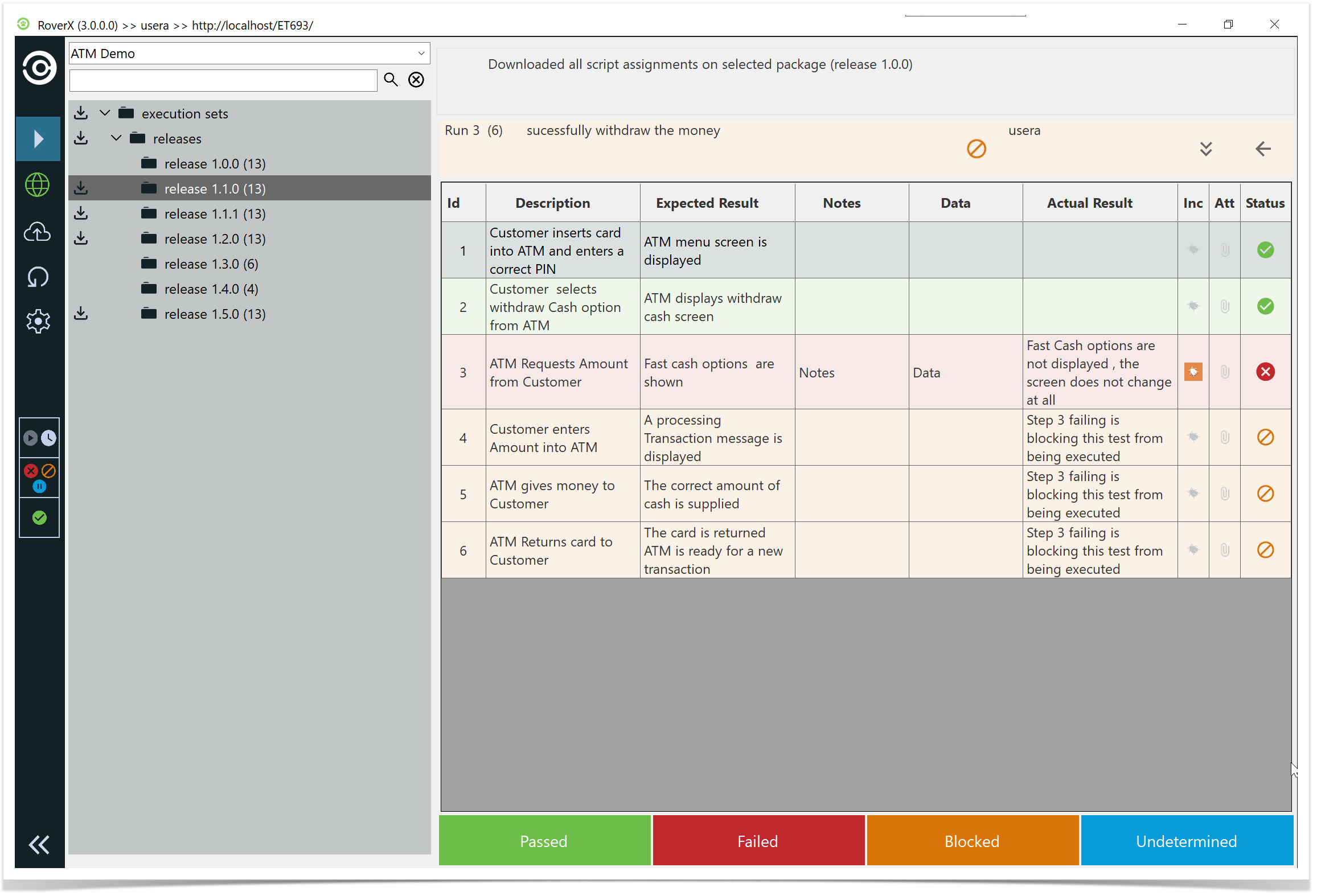
Creating a new run from a completed Not Passed test run (Failed, Blocked, or Undetermined) the following data will be copied from the previous run;
Actual results
- Data
Notes
Statuses
Bugs (attachments only if stored locally)
This allows you to continue testing without re-entering information, while respecting Rover’s attachment handling.
Note: Attachments on bugs are only copied if they were created in Rover and synced to Enterprise Tester without clearing the local database. Attachments downloaded from Enterprise Tester are not stored locally in Rover, so they will not be copied.
Example: “Successfully Withdraw the Money” Test Run
Click or tap on the test run. 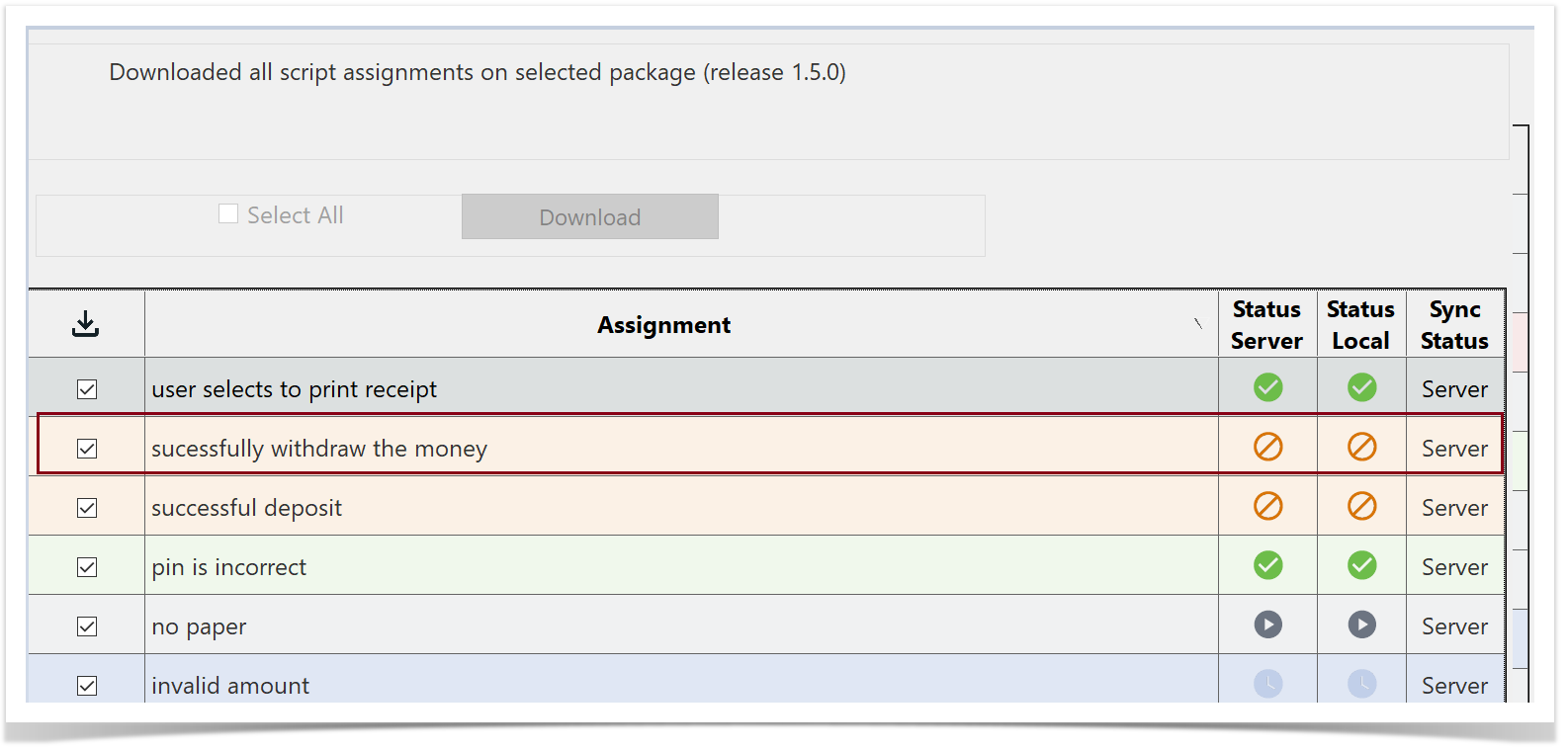
The Run History screen will be displayed. You will see the test run that has an incident associated with it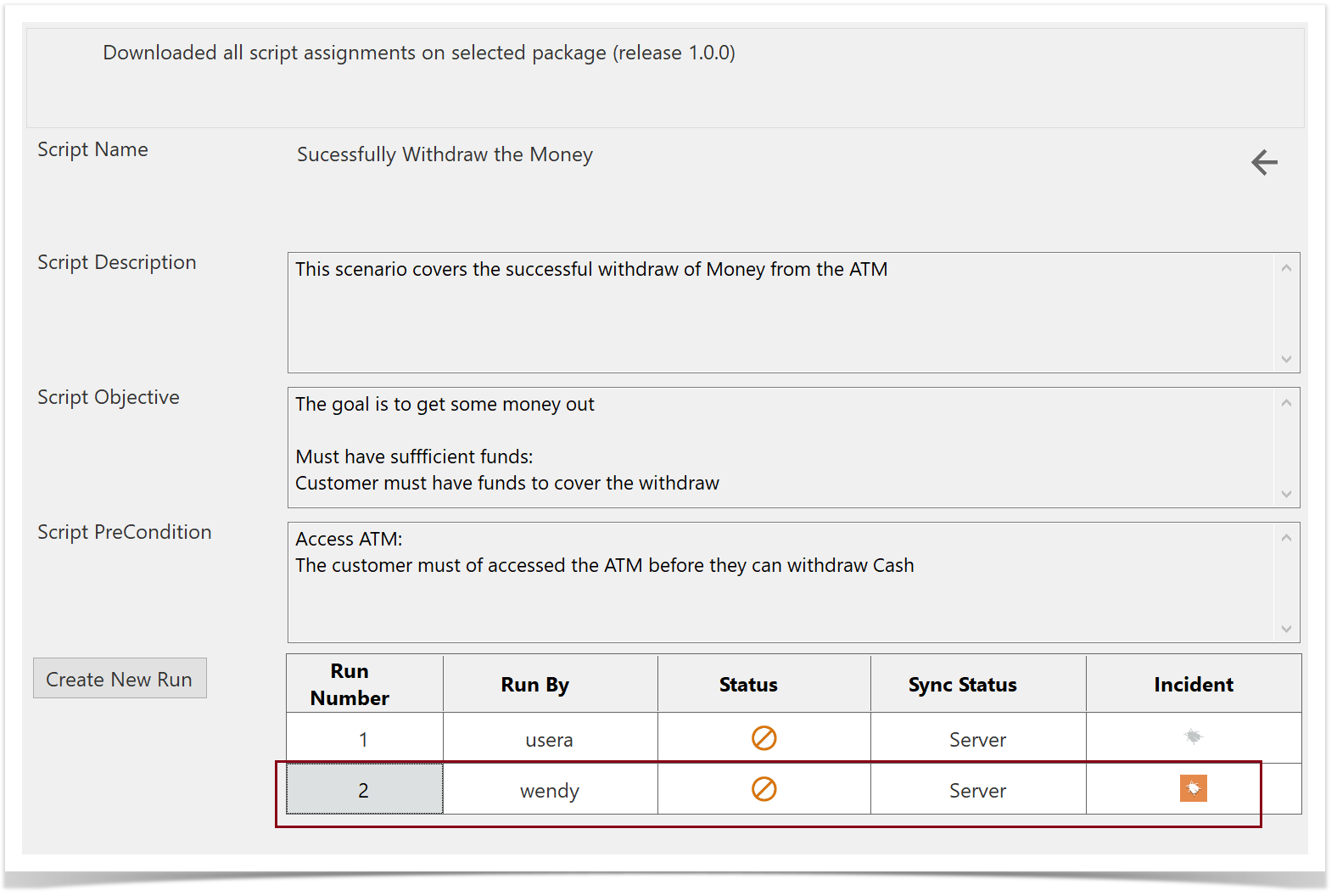
Open the existing run from the server that has the incident (e.g., Run Number 2). You can view the step statuses, notes, data, actual results, and the associated bug.
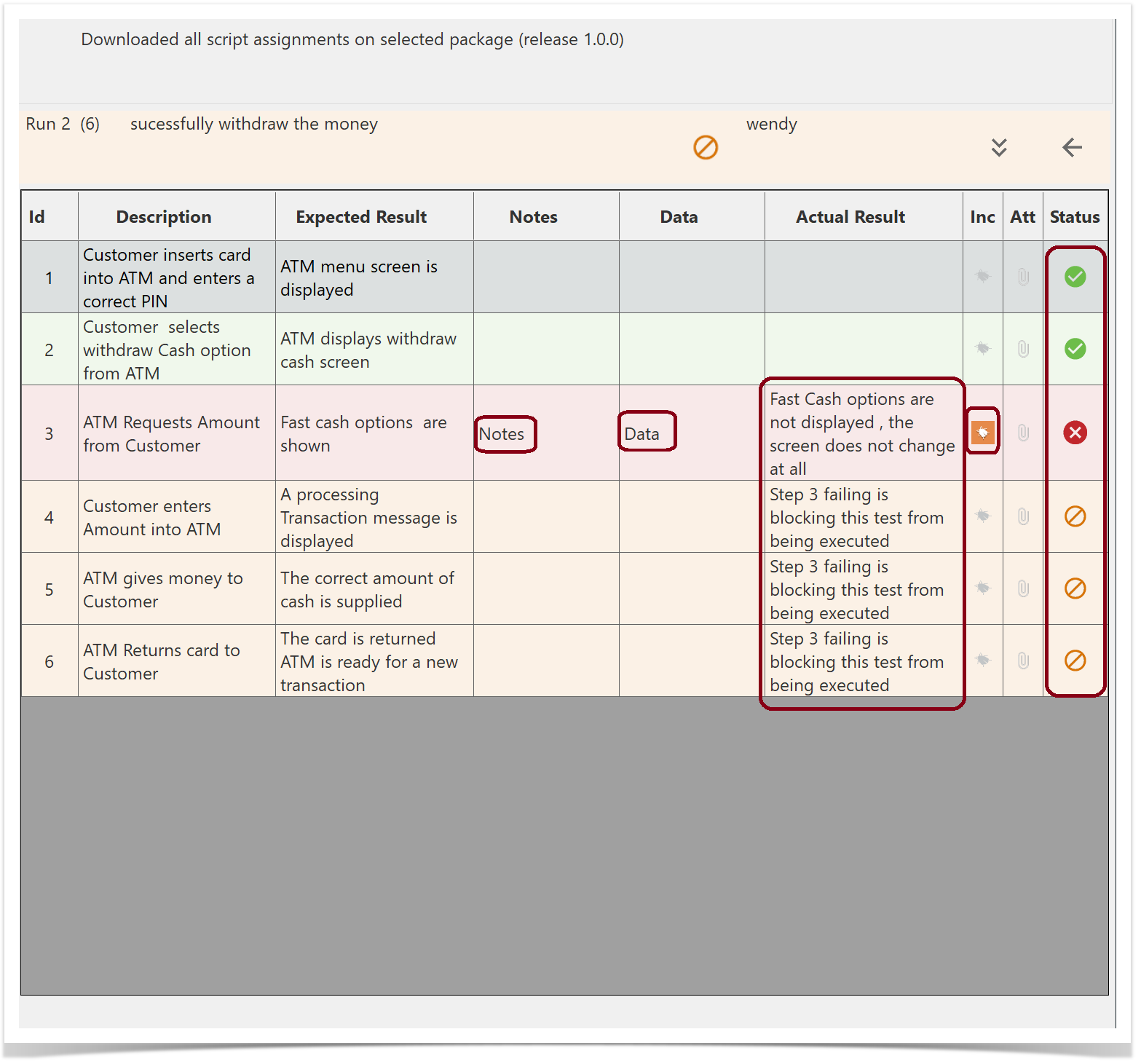
Return to the Run History screen and select Create New Run.
The step statuses, Notes , Data, Actual Results and the associated Bug are copied over to the new test run.