RoverX is a plugin for Enterprise Tester that enables offline access and management of Enterprise Tester data. To get started, ensure the following requirements are met:
- Enterprise Tester Instance: A working instance of Enterprise Tester accessible over the internet or through a network for uploading and downloading data.
- Rover License: A valid Rover license must be applied to Enterprise Tester.
- Windows Device: A Windows device with the .NET Framework 4.5 installed.
RoverX is a plugin for Enterprise Tester that enables offline access and management of Enterprise Tester data. To ensure compatibility and functionality, please meet the following requirements:
Enterprise Tester Compatibility: RoverX is compatible with Enterprise Tester version 6.4 and above.
Server Accessibility: Enterprise Tester must be installed on a server that is accessible either through the internet or your office network. This is necessary for:
- Downloading Execution Sets, individual Test Runs, and associated Incidents before going offline.
- Uploading your results and new incidents once you are back online.
Applying your Rover License
To apply your Rover License, you will need to have Administrator rights to Enterprise Tester.
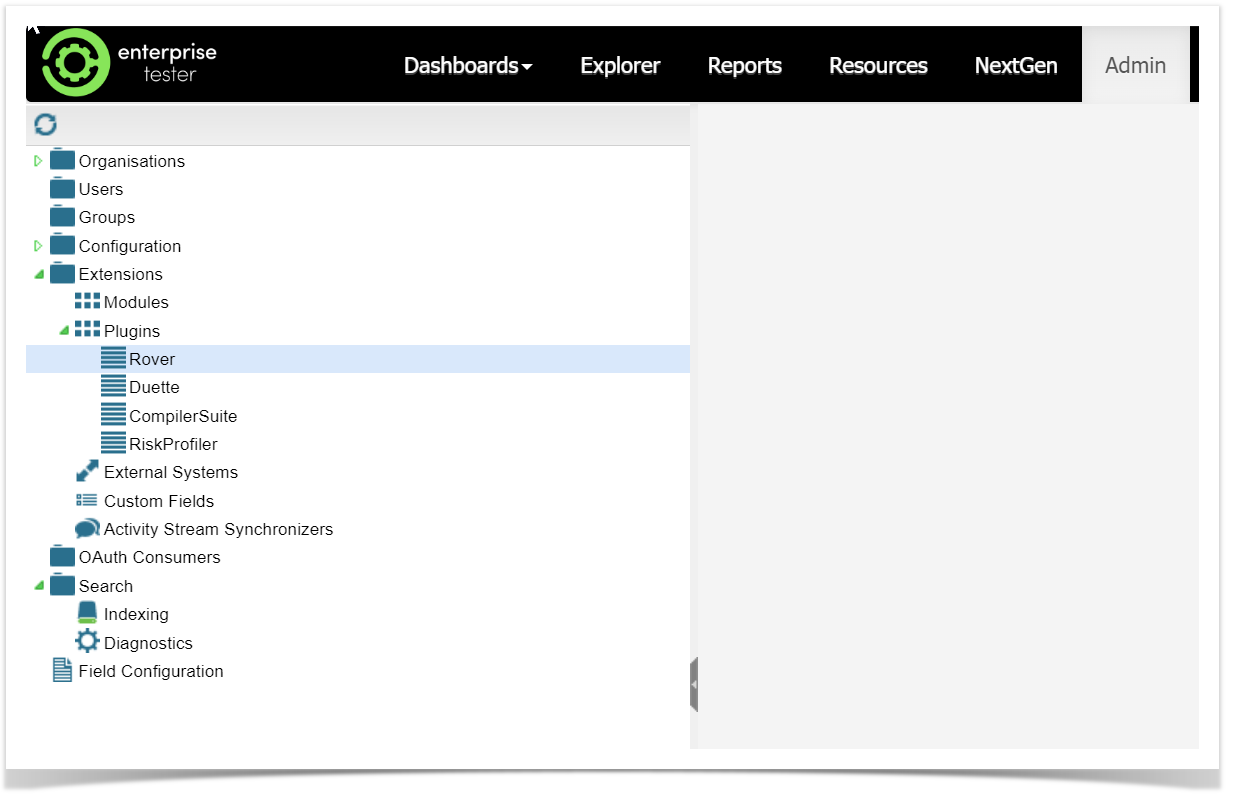
Navigate to the Admin tab, expand the Extensions folder and double click on Rover.
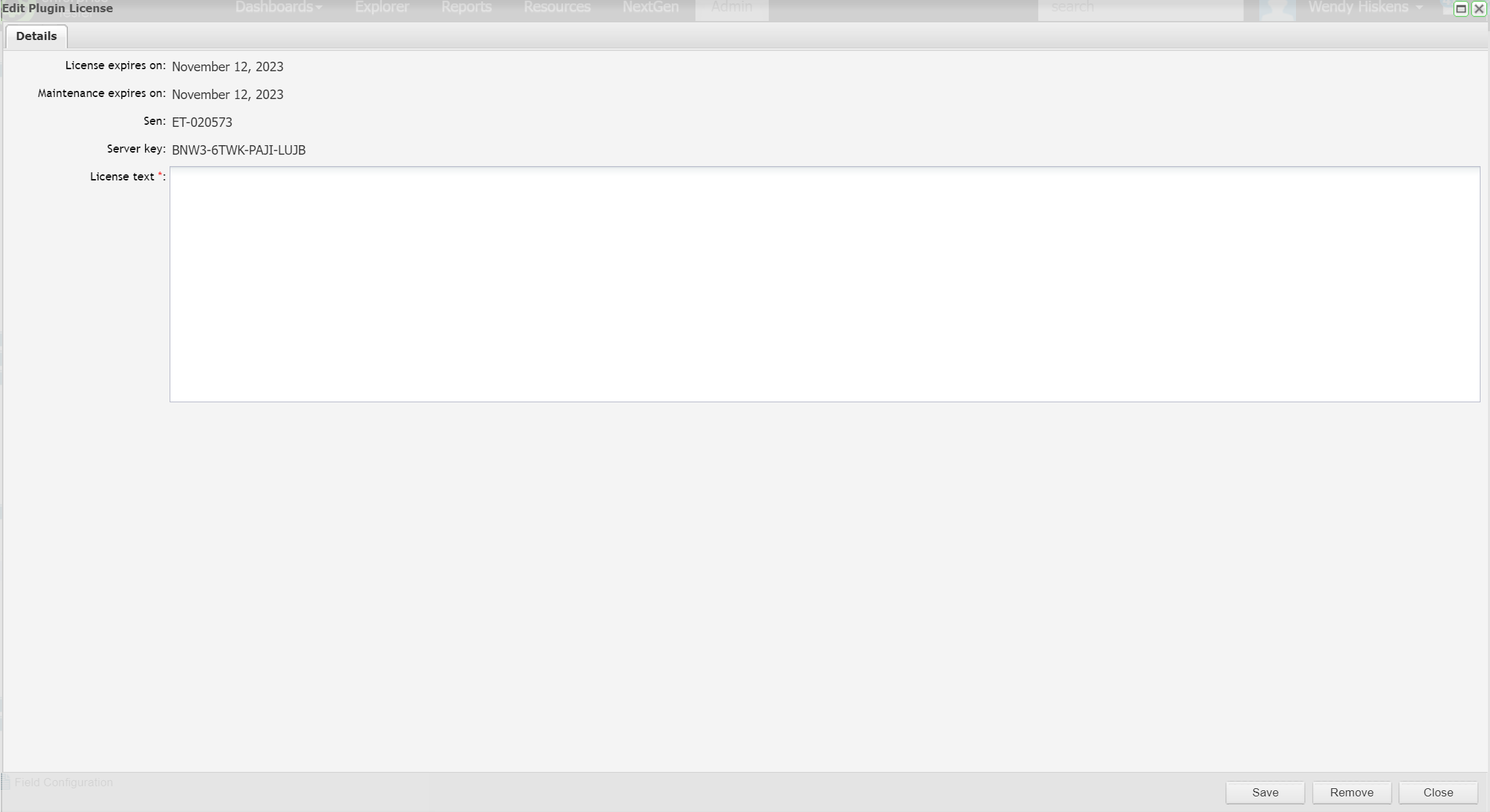
Add the license text ( if you do not have a license text, please contact Catch Sales) to the License Text field:
Operating Systems (Client)
The client application supports the following Operating Systems:
- Windows 10 and above
- Windows Server 2019 and above
Mobile Phones not supported
Windows Phone and Windows Mobile do not support .NET 4.5
.NET Framework
Rover requires .NET 4.5 to be installed.
When installing the .Net Framework 4.5 you have two options - either install from a "web download" (a small download, which will then install only the components you require) or you can download a "redistributable" which is a large file containing all the files necessary for the .Net Framework 4.5 to be installed on any machine.
If you plan on installing the Framework on more than one machine within your organization it is suggested that you use the redistributable, to avoid multiple downloads.
The web downloader can be downloaded from:
http://www.microsoft.com/en-us/download/details.aspx?id=30653
It is approximately 1mb in size.
The redistributable can be downloaded from:
http://download.microsoft.com/download/2/7/3/273CB528-CAB3-4E8D-88D2-4477F0A1DAE4/enu_vs_common/netfx_ult/dotnetfx45_full_x86_x64.exe
It is approximately 50mb in size.