...
Select the History tab of the requirement when you have the requirement open for editing - the history of changes will be displayed.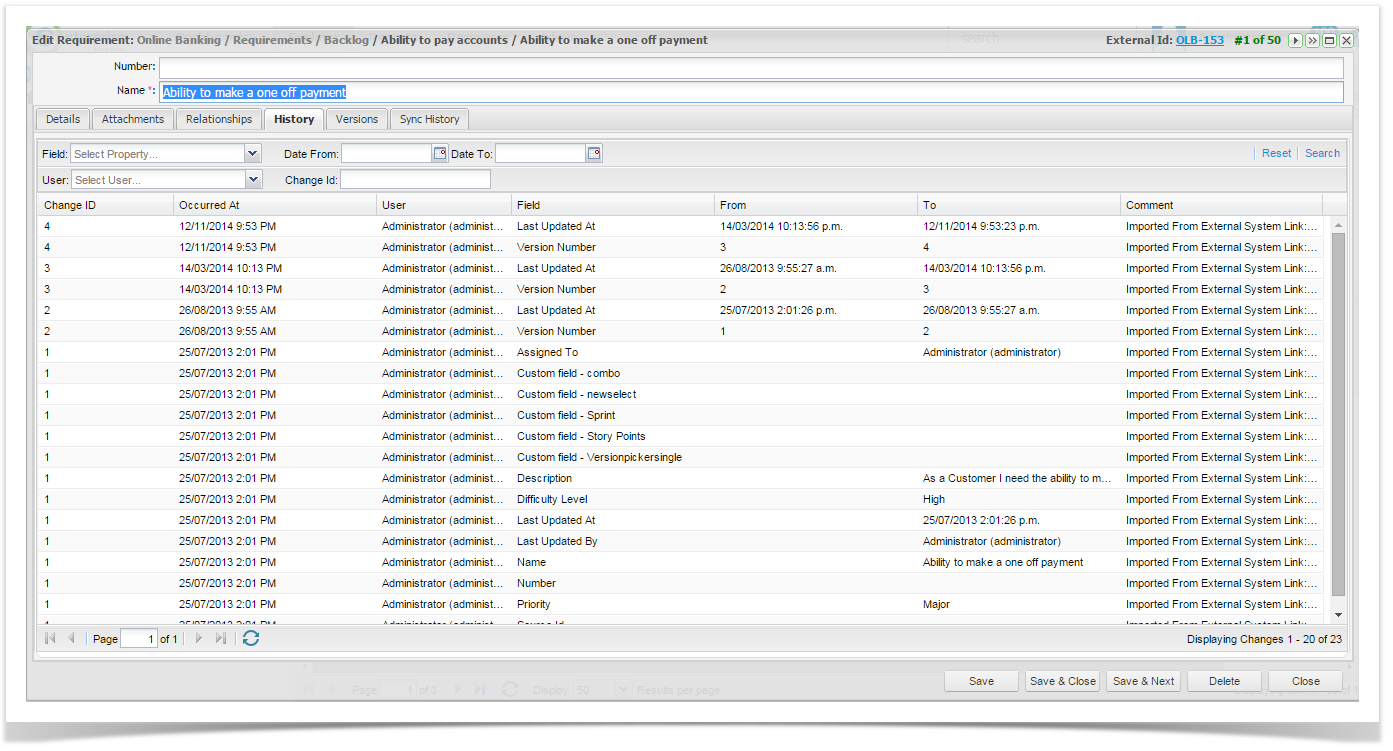
You can filter the list of changes displayed by selecting from the filters below and clicking on ‘Search’ Search.
Field | Select the field that you want to filter by. |
User | Select the user you want to filter by. |
Date From | Select the start date you want to filter by. |
Date To | Select the end date you want to filter by. |
Change ID | Select the Change ID you want to filter by. |
The filtered list will be displayed - to clear the filter click on ‘Reset’ Reset.
Requirement Versions
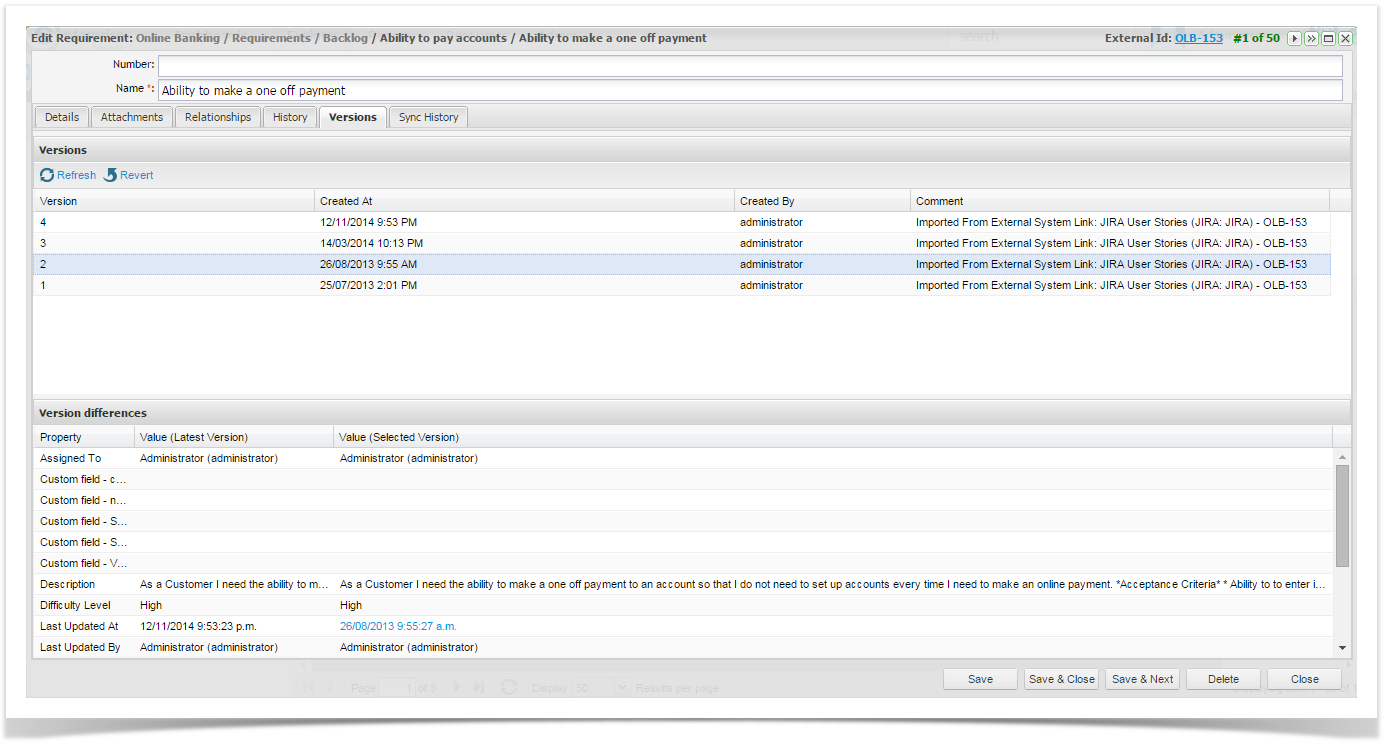
Enterprise Tester also creates versions of requirements each time a set of changes are made. The Versions tab lists the versions that have been created over time and provides the following information:
...
Property | The name of the property. |
Value (latest ver) | The current value of the property for the version. |
Value (selected ver) | The value of the property for the selected version. |