...
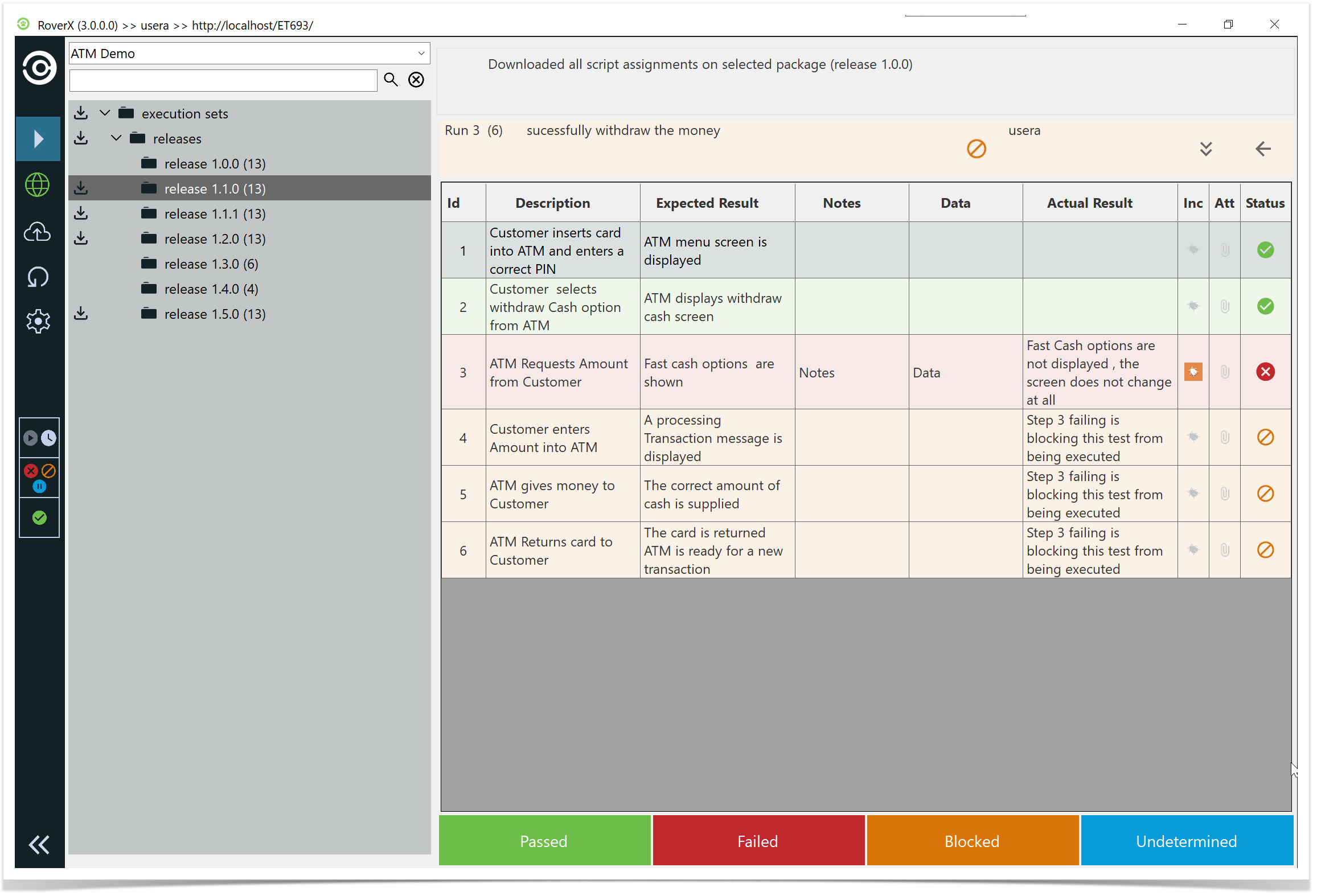
Example: “Successfully Withdraw the Money” Test Run
Click or tap on the test run.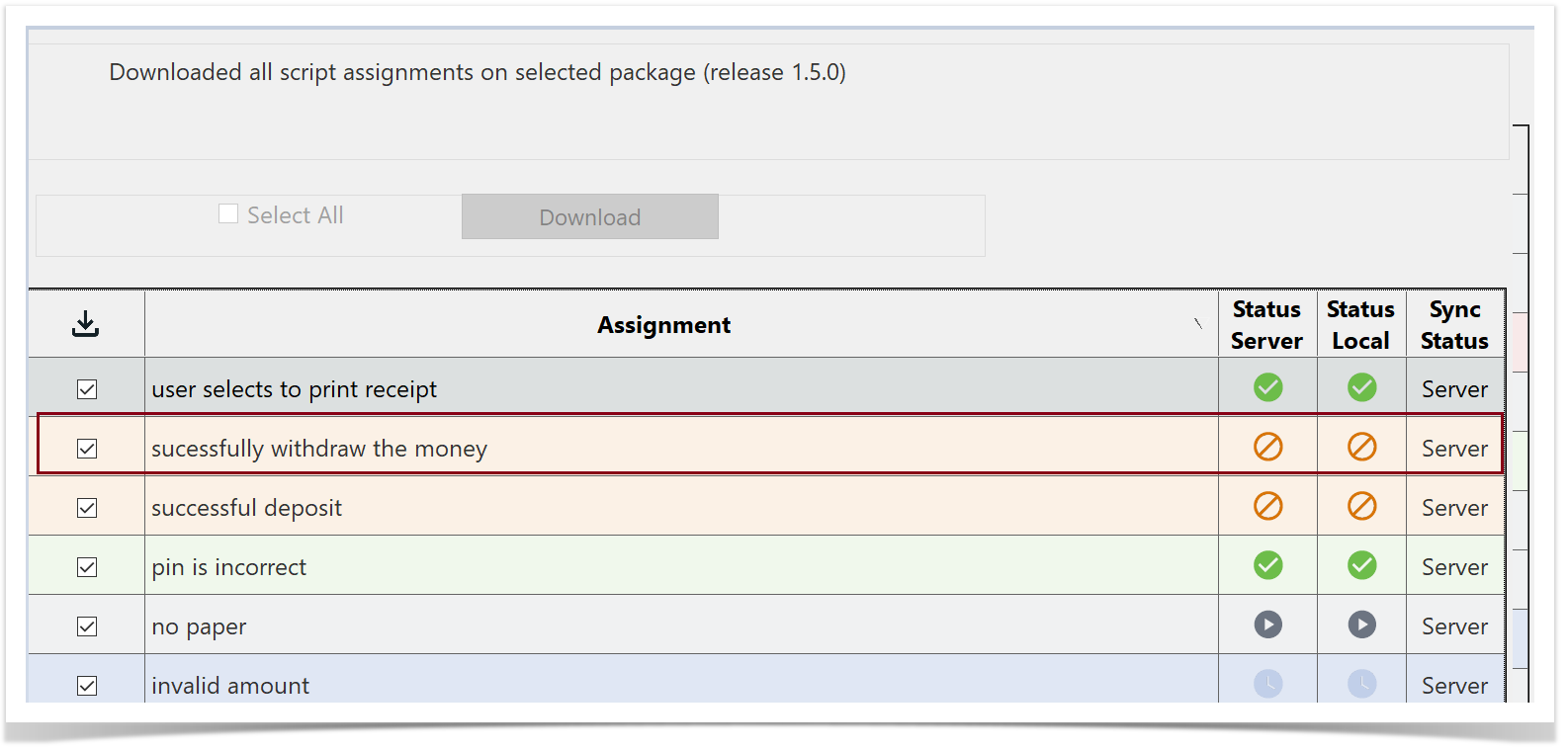
The Run History screen will be displayed. You will see the test run that has an incident associated with it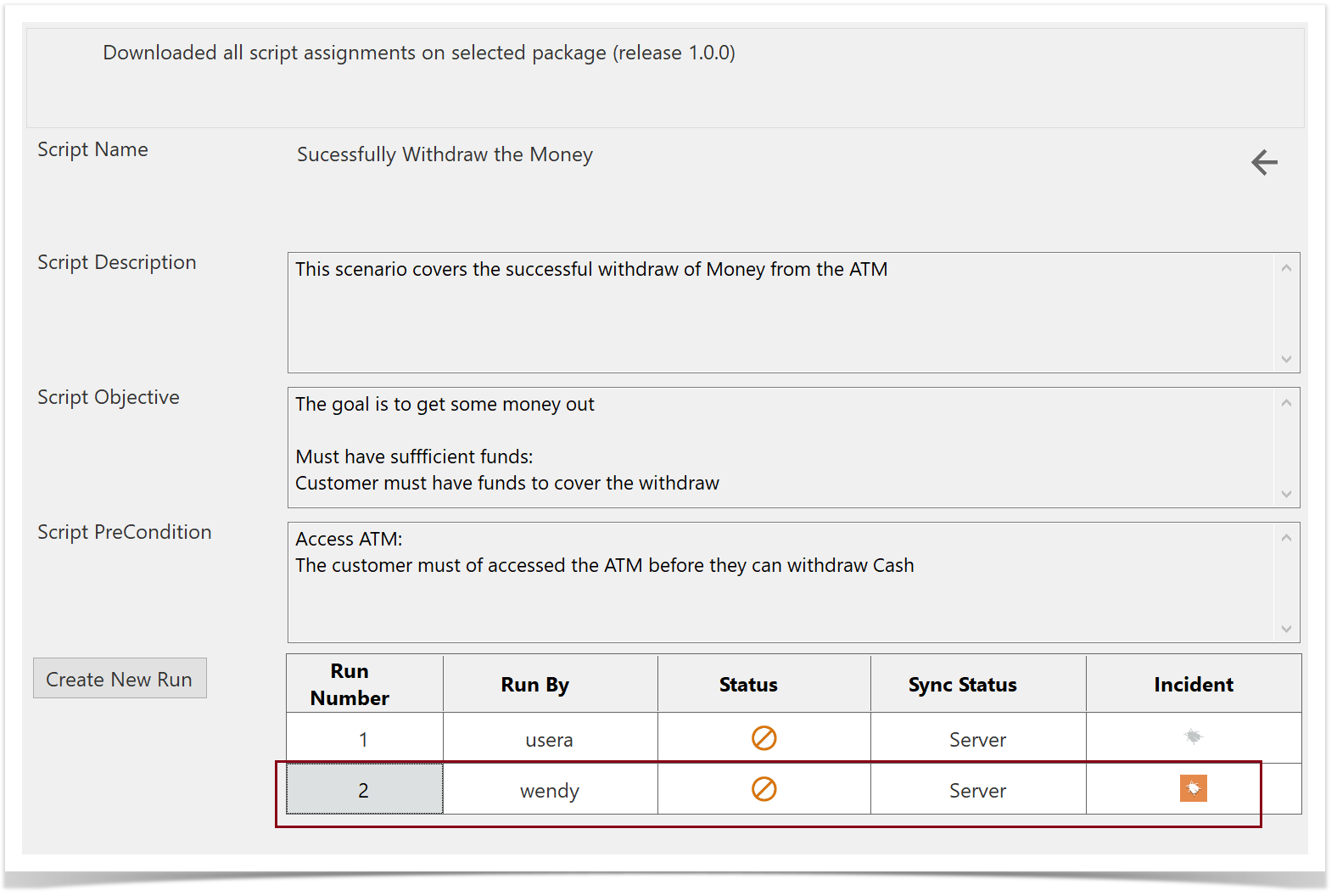
...
Return to the Run History screen and select Create New Run.
The step statuses, Notes , Data, Actual Results and the associated Bug are copied over to the new test run.